
Planning, code, and tests synchronized with the specification.
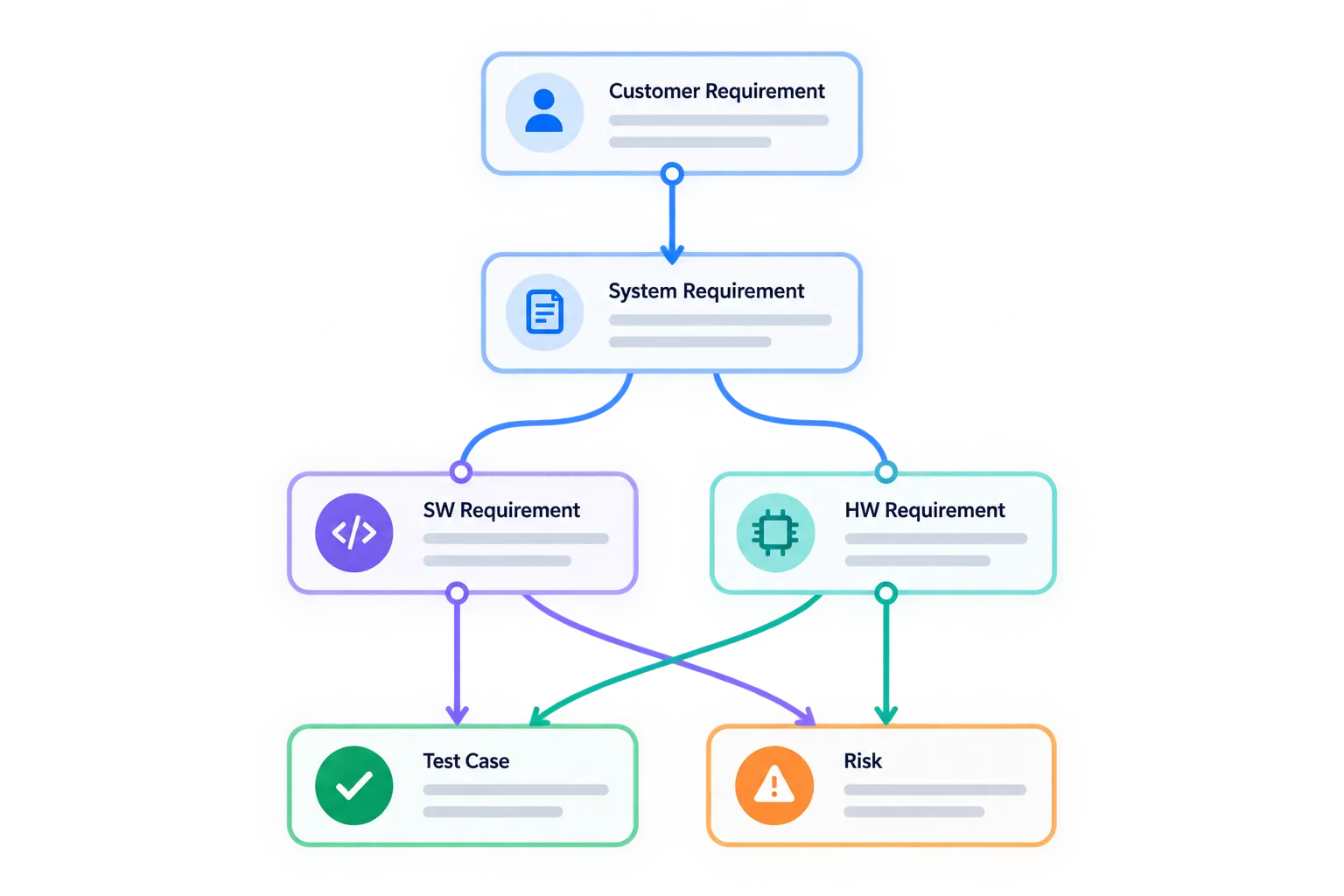
Planning tools, code, architecture, and test results come together in OakCore. That creates a tightly connected development process where changes and relationships do not get lost between individual tools.





Planning and tickets
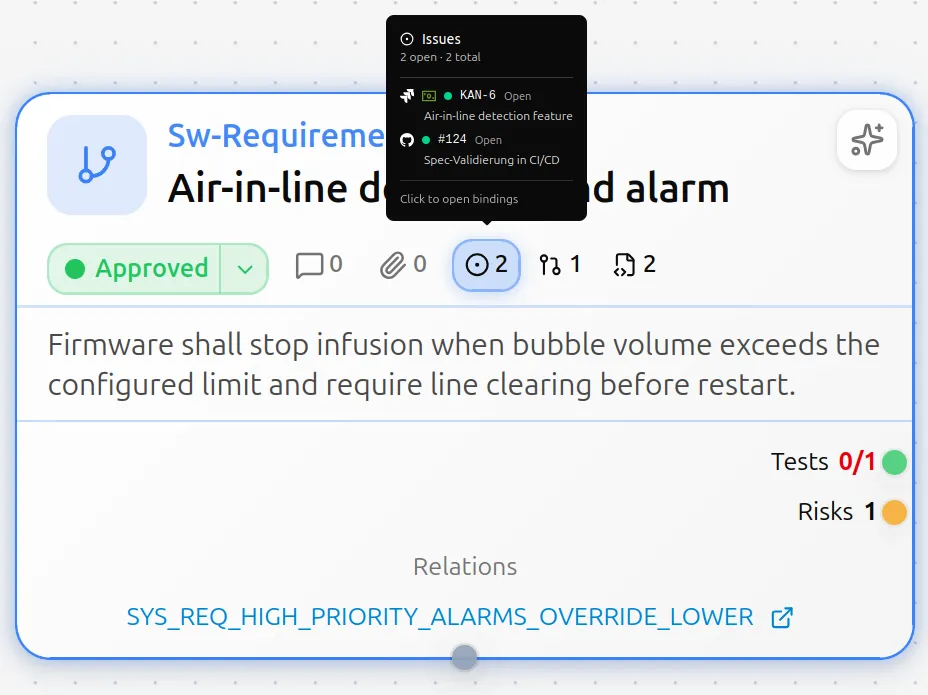
Requirements live in OakCore, project planning in your ticket tool. That way you can always trace how a requirement is being delivered.
Connect Jira and the rest directly
Connect your existing planning and ticket tools to OakCore. Requirements and tasks stay linked, without maintaining them twice.
Keep delivery in view
See the current status of your project planning right in OakCore. You do not have to switch between specification and ticket tool to see how far delivery has progressed.
Code coupling
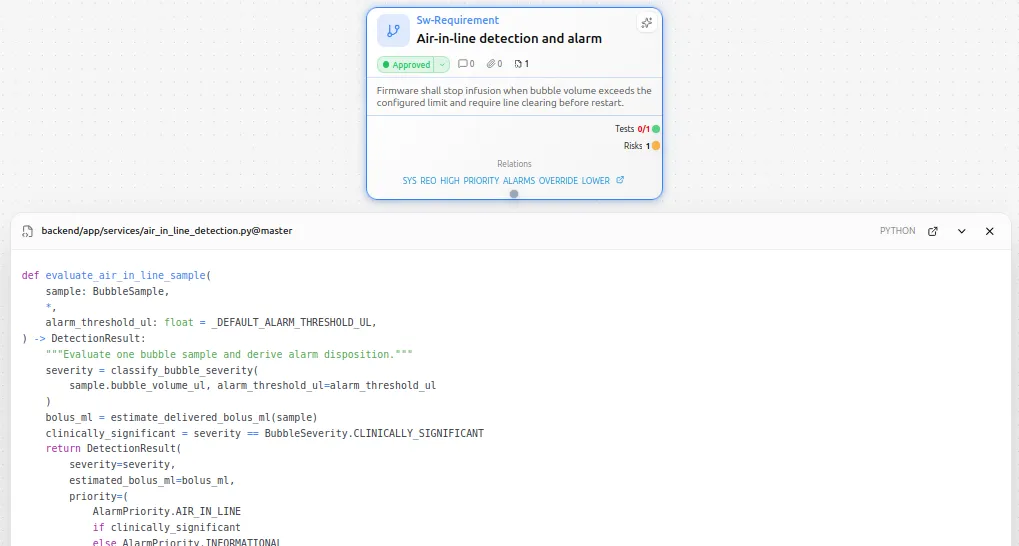
With OakCore, you can link your requirements directly to source files. This strengthens traceability across the entire V, improves consistency, and builds more acceptance for specification work between systems engineering and software development.
Repository connection
Connect repositories on GitHub, GitLab, or Bitbucket directly to the project. Files, folders, packages, or PRs can be linked to artifacts and make code context directly available and navigable in OakCore.
Traceability through to implementation
Full traceability from the requirements specification to the codebase. Gaps between requirements, tests, and implementation become visible early and can be analyzed automatically.
CI and test results
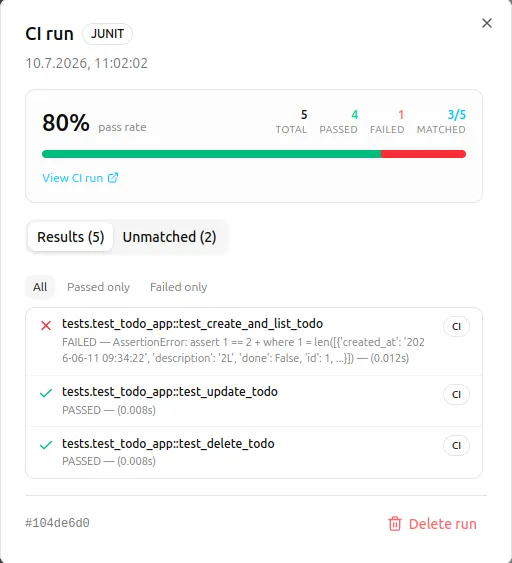
Test results from your CI pipeline belong on test specs in the graph, not in an isolated report. OakCore links test specifications to real test results.
Feed pipeline results in
GitHub Actions or your CI pipeline feed builds and test runs directly into OakCore. Passed and failed tests are mapped to the matching test specs without manually transferring reports.
Coverage and dashboards
Dashboards show pass rate, coverage, and open gaps at a glance. Through links in the graph, you see which requirements are tested and where things fail, staying current with every pipeline run.
Data exchange and migration
ReqIF, CSV, Excel, and JSON make it easy to bring in existing data, pass information to other tools, or exchange documents with customers and suppliers without friction.
Supported formats
ReqIF for exchange with other RM tools, CSV and Excel for lists and spreadsheets, JSON for technical interfaces. Import and export in both directions.
Import wizard
The wizard maps columns and fields to your project model. Before import, you see what is coming in and where it lands in the graph.