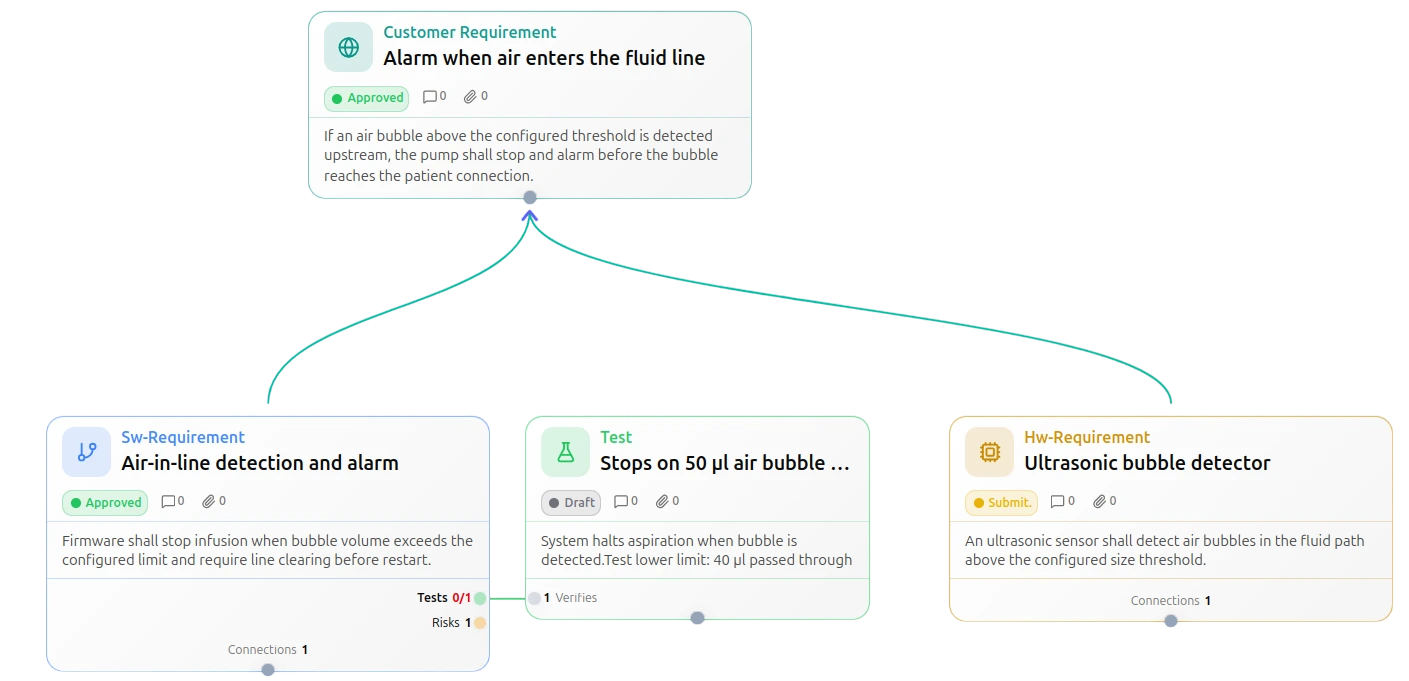
Specification as an interactive graph. For visualizing complex projects.
In OakCore, the graph is the data model. You do not have to follow links to other tabs or tools; you get the full context at a glance.
Semantic graph model
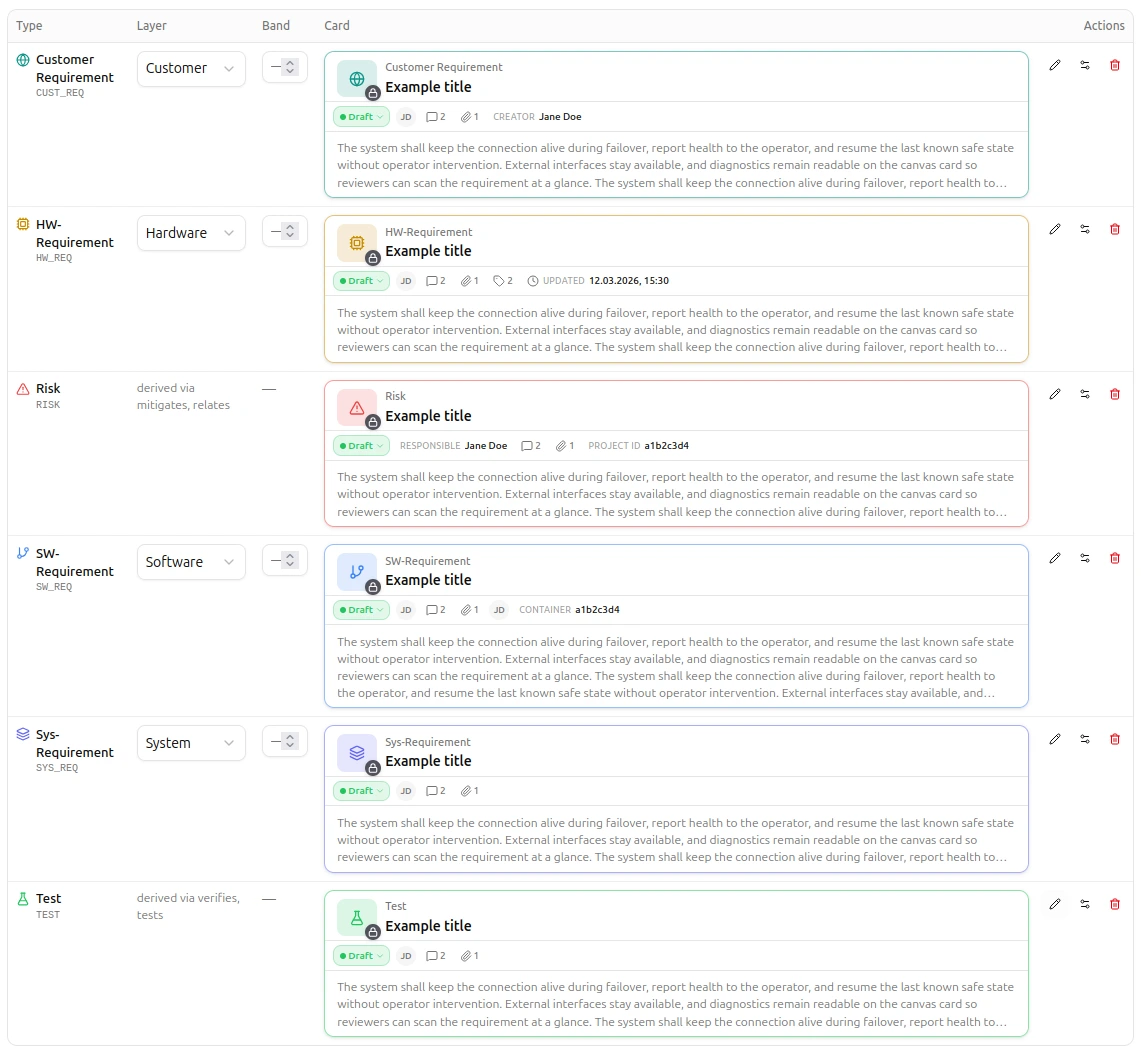
Our template-based graph model combines semantics and configurability. Choose from the built-in types requirement, test, and risk, create any sub-types you need, and navigate everything in the canvas.
Project-specific sub-types
HW requirement, SW interface, failure mode, or whatever your project needs. With configurable attributes, defined status models, and your own color scheme. Capabilities inherit from the template.
Semantic traceability links
Links have a type and a meaning. That is the connection structure that standards such as ISO 26262, IEC 62304, or DO-178C require for safety cases and verification. From requirement to test and back, both directions live in the graph and are visible immediately.
Attachments, graphics & external links
Artifacts can be enriched with documents, images, and references. Beyond better communication and clarity, this also strengthens the context that AI models can draw on.
Project knowledge in context
Documentation, terms, and other project knowledge become directly linkable, and relationships are easy to show. The team and AI both benefit.
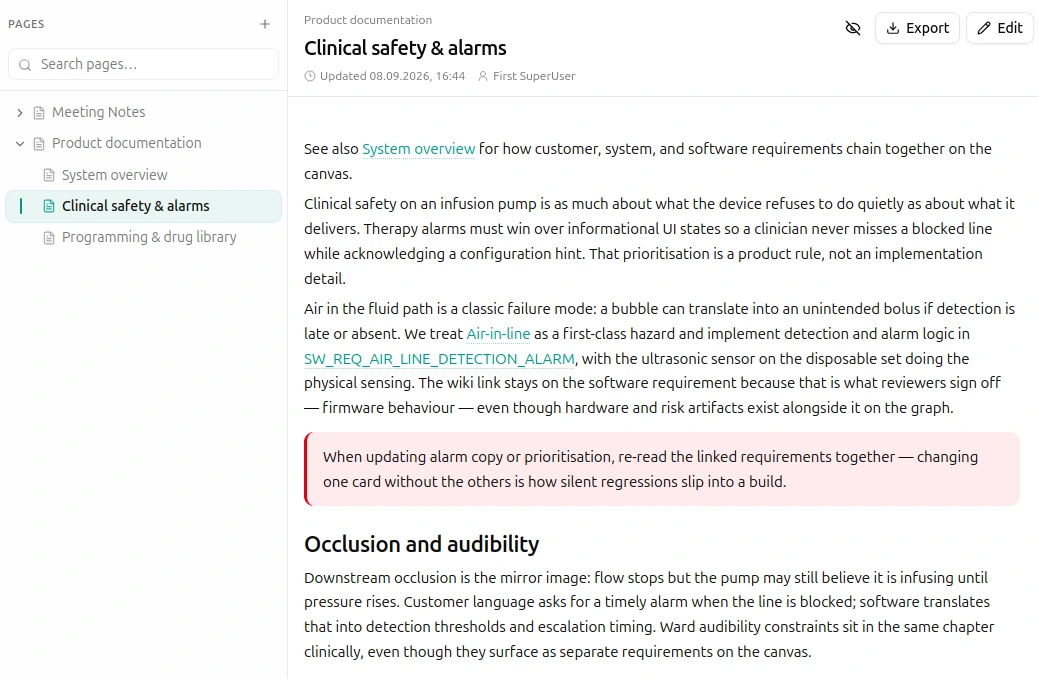
Project wiki
Design docs, ADRs, and meeting notes are an important part of your project documentation. In OakCore, you can manage all of this centrally and link it directly to relevant artifacts.
Shared project glossary
A central glossary for the entire project. Terms are defined consistently and linked throughout the graph.
Semantic search
Finds content despite typos, different spellings, or inconsistent wording, because search understands meaning, not just exact strings.
Shared views & filters
Save filter combinations as personal or shared views. The team works on the same slice of the graph.
Processes and model integrity
Custom processes and validation rules keep the model consistent, not at review time, but while you edit.
Define your own processes
Define project-specific processes and workflows, ISO 9001 compliant and adapted to your development methodology.
Embed validation rules
Embed concrete validation rules directly in processes: for example, that an attribute must be set for a status transition, or that only certain link types are allowed.
Integrity while editing
The model is validated inherently while you edit. Three warning levels: Block stops the action, Report flags violations, Info provides guidance.