
Work together without silos: transparent, factual, and across disciplines.
Metrics, discussions, and editing without tool switching on your live graph. See project status at any time, resolve open items in context, and work on the same model simultaneously.
Working together
Clarify, discuss, and decide. Our platform is built throughout for collaboration and shared communication.
Discussion and decisions on artifacts
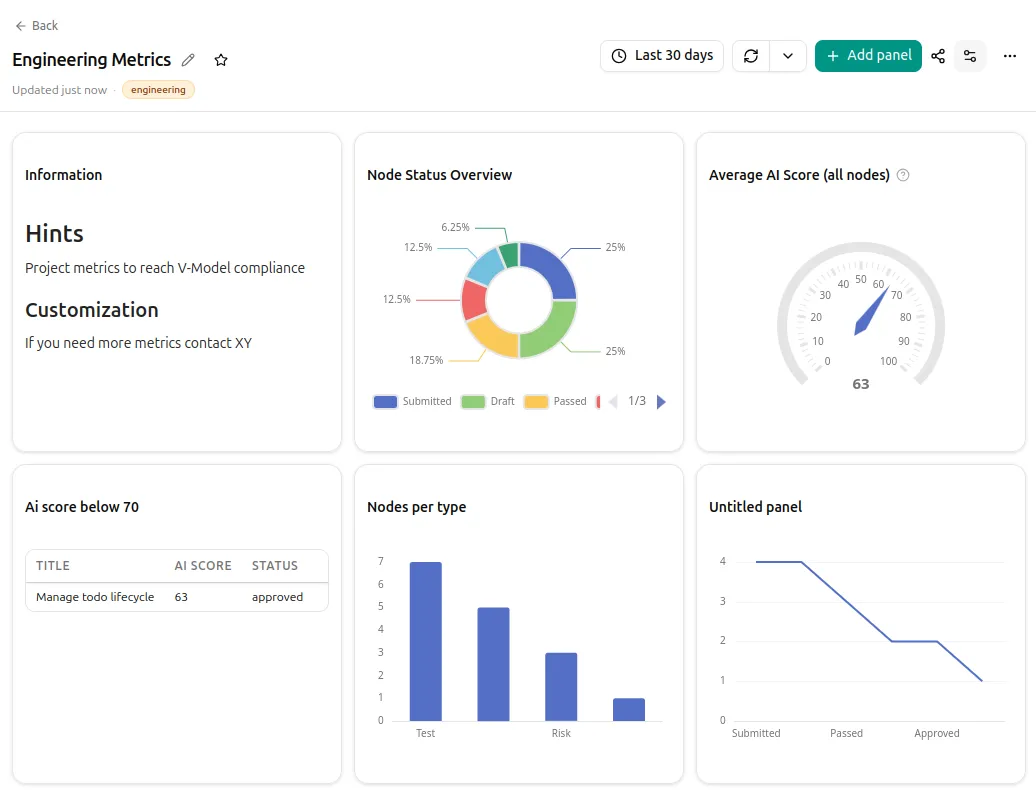
Discuss directly on artifacts, links, and views. Resolved threads become traceable decisions: who decided what, when, and why, directly on the affected artifact.
Activities and tasks at a glance
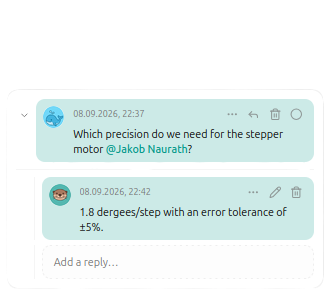
Changes, comments, and status transitions in one place. The activity feed keeps you up to date on subscribed changes so you do not miss anything.
Real-time co-editing Coming Soon
Multiple people edit artifacts, attributes, and links at the same time. Changes are immediately visible to everyone involved.
Operational project metrics
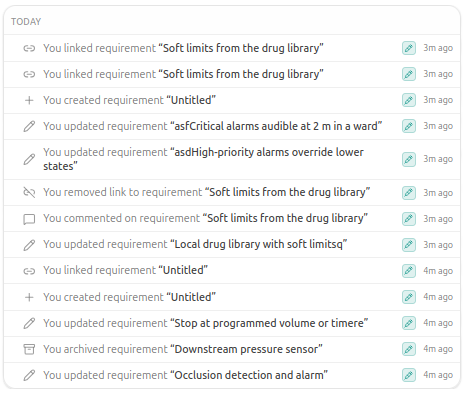
Dashboards on live data from your graph. Project leads and management see operational status at any time, without manual reports or a separate analytics tool.
Configurable dashboards
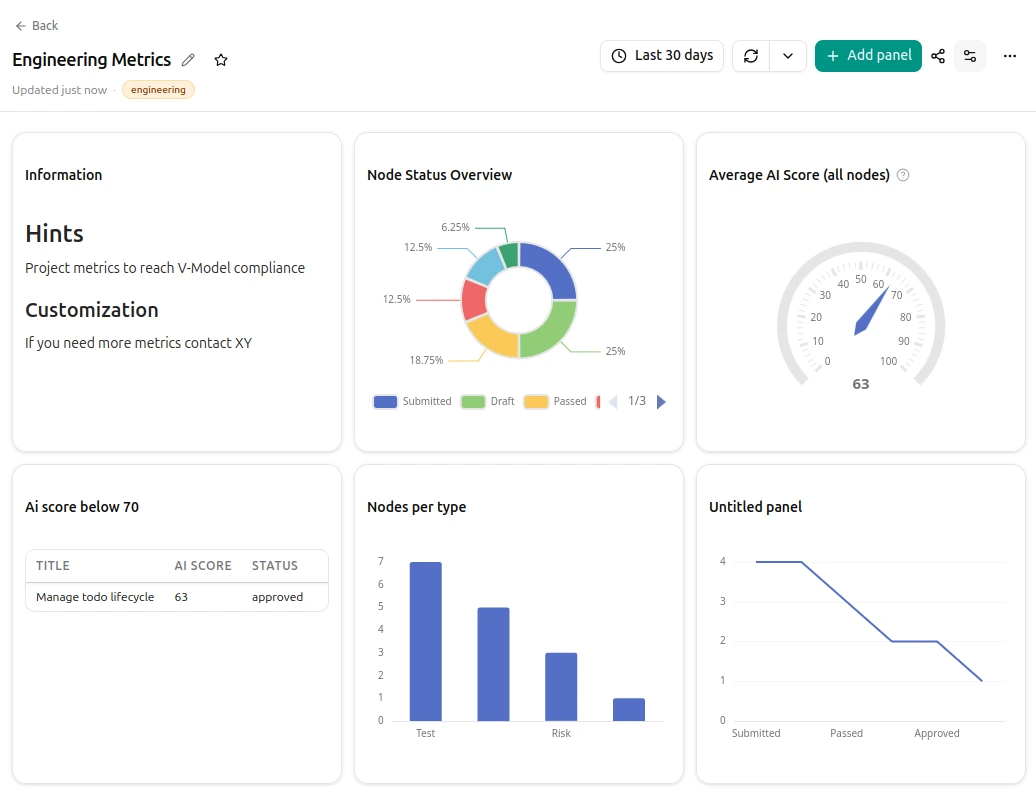
Assemble panels by your own criteria, save them, and share them in the project. Top risks by risk score, requirements with a low quality score, or your own filters: one click takes you to the artifact. Project leads, management, and specialist teams work from the same KPIs in the live graph.
Traceability KPIs
Open links, missing coverage, and gaps between requirement, test, and risk. KPIs for project leads and audit preparation, not from milestone estimates.
Coordinated workflows
Guide participants through recurring work and keep decisions, feedback, and next steps together in the project.
Review workflow Coming Soon
Prepare reviews on the relevant artifact, gather feedback, and take open items to a documented decision.
Requirements alignment and RFQ
Align requirements with several suppliers in the same project. Fine-grained attribute visibility gives each party only the information needed for its feedback.
Apply customer updates
New requirements document from a customer, changes from an external review: OakCore compares against what you have and shows what is new, changed, or removed. You decide what to adopt.